 Cima Books
Books + CFO for owner-operated businesses
Your books and your CFO in one app.
Cima Books keeps the books, then tells you what to do next: which cuts close the gap to your take-home goal, when cash gets tight, what to charge, whether you can afford the hire, and how much to set aside for taxes. Every answer comes from your own books.
The demo runs on made-up books. No bank connection, no card, no sign-up form.
Goal-first
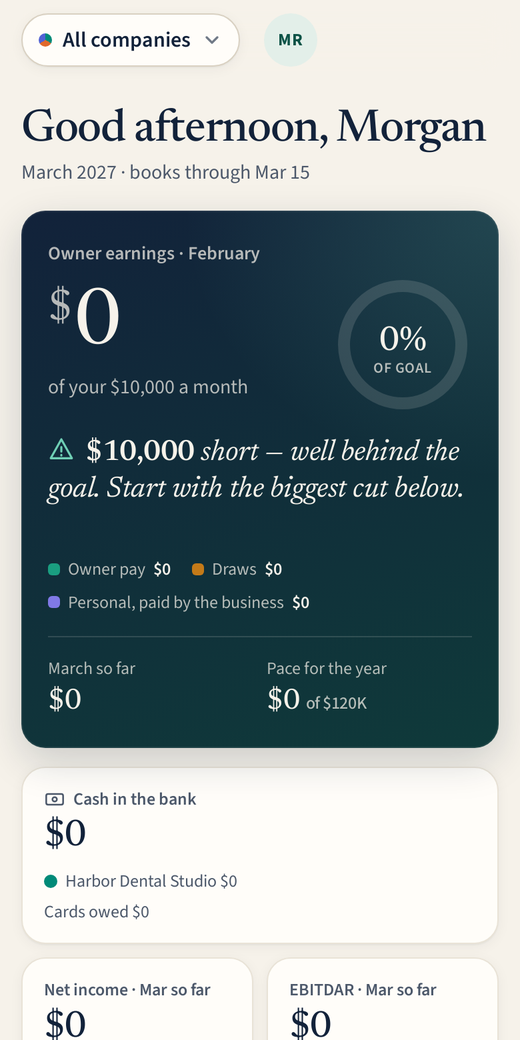
The first number is what you take home.
Most accounting apps open on a pile of reports for your accountant. Cima Books opens on owner earnings (owner pay, draws and personal costs the business covers) measured against your goal, then a ranked cut list that closes the gap.
- Set a monthly take-home goal once; every month is measured against it.
- The cut list ranks real spending from your books: subscriptions, creeping costs, categories running above their usual level.
- Ask the CFO "how?" on any cut and get an answer that cites the accounts and months it used.
- A weekly action plan keeps a running tally of money found this year.
Insights
A full CFO suite, included.
Twenty tools computed from your posted books. On most ledgers, this list means a second and third subscription on top.
AI CFO
- Weekly action plan with money found
- Business health score
- Monthly owner report (PDF)
Cash
- 13-week cash forecast and runway
- Bills and pay-run planner
- Collections and reminder drafts
- Cash allocations (pay yourself first)
Profit
- KPIs and ratios
- Vendor intelligence and negotiation briefs
- Break-even and pricing simulator
Plan
- What-if scenarios
- Budgets vs actual
- Tax set-aside planner (estimates, not tax advice)
- Goals and milestones
- Hiring planner
Grow
- Revenue streams and seasonality
- Industry benchmarks (typical ranges)
- Loan readiness and debt capacity
Control
- Books integrity check
- Month-end close assistant
Money found
See what the CFO is worth, in dollars.
Every move you take from the action plan and every vendor price you bring back down is added to a running "money found" scoreboard for the year. If the app isn't finding more than it costs, you'll see that too.
Cuts, ranked
Each one shows its monthly value, which company it belongs to, and how much of the gap to your goal it closes.
Multi-company
Several companies, one login.
Each company keeps its own books. When one pays for another, the review inbox books both sides as due-to and due-from. Owner earnings add up across all of them, because that's what you actually take home.
- Switch between one company and all companies combined.
- Intercompany entries booked on both sides.
- Invite your CPA with view-and-export access.
- A CPA package (XLSX) per company, per year.
Switch from QuickBooks
Bring your whole year. We prove it ties out.
QuickBooks raised prices in 2026; check your renewal. Cima Books imports your QuickBooks history and checks the trial balance, profit and loss and balance sheet against it to the cent before you rely on it.
- Export four standard reports from QuickBooks.
- Map each QuickBooks account once; suggestions do most of it.
- The import posts the history and ties it out to the cent.
Safety
Built for businesses that can't be careless with data.
No PHI to AI
The AI sees financial figures only: accounts, amounts, vendors, periods. Client names are scrubbed on import. Every feature works without AI.
Encrypted secrets
Bank connection credentials and archived imports are stored encrypted. Passwords are hashed with scrypt, never stored in clear.
Audit trail
Every sign-in and every change to the books is kept in a tamper-evident audit log. Closed periods stay closed.
Nothing guessed
Every AI answer cites the accounts and periods it used. Numbers come from posted entries, never from the model.
The app
Made for your phone first.
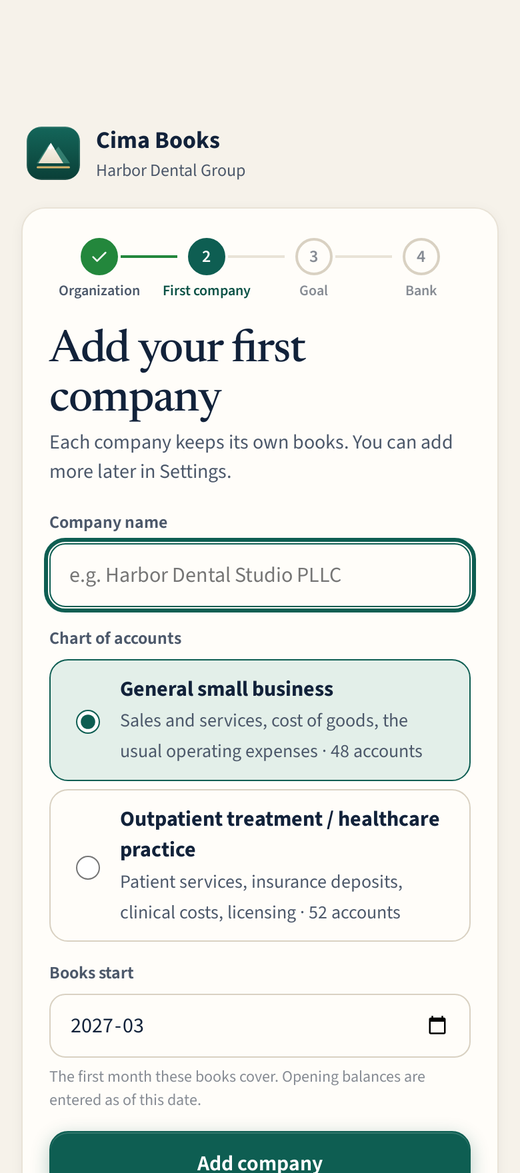
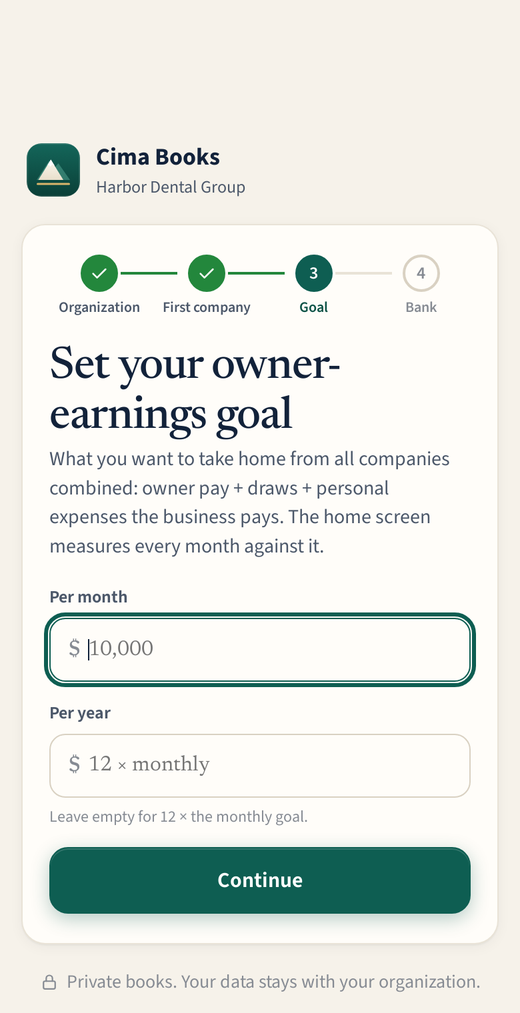
Screens from the app with a made-up sample business.